
The Content menu item (in the top nav bar, between Audience and WooCommerce, and in the admin sidebar) opens the Content hub — a landing page that gathers every report about what people read and click: your posts, pages and other post types, categories, tags, authors, on-site searches, and outbound/affiliate links.
The Content hub
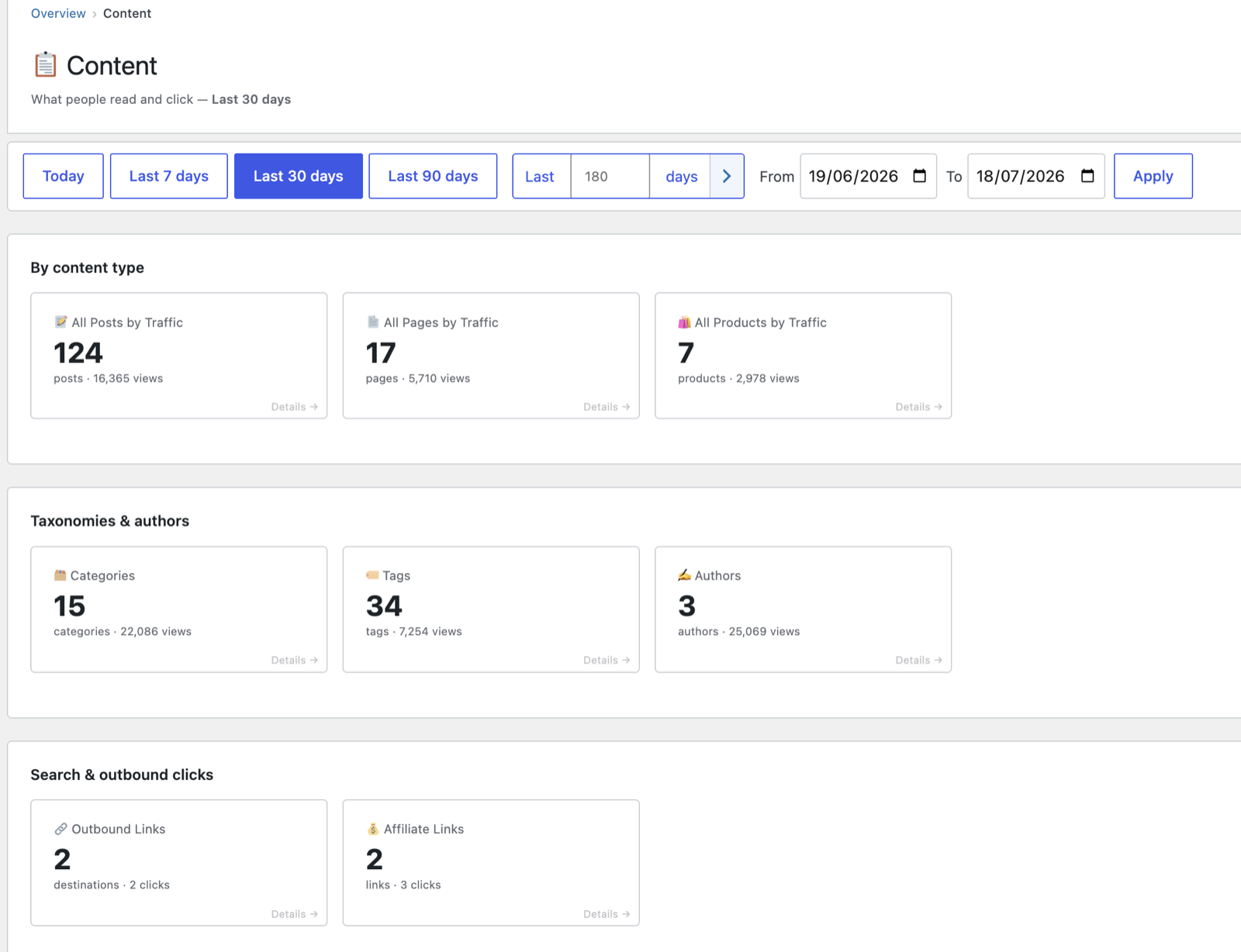
The hub presents each report as a card — showing a headline count and view total for the selected date range — grouped into three sections:
- By content type — All Posts by Traffic, All Pages by Traffic, and a card for any other public post type with views (e.g. All Products by Traffic).
- Taxonomies & authors — Categories, Tags and Authors.
- Search & outbound clicks — Search Terms, Outbound Links and Affiliate Links.
A card only appears when its report has data in the chosen range, so you never click through to an empty page. Click any card to open that report in full; use the breadcrumb to step back to the hub. Changing the date range at the top of the hub carries through to whichever report you open.
All Posts by Traffic
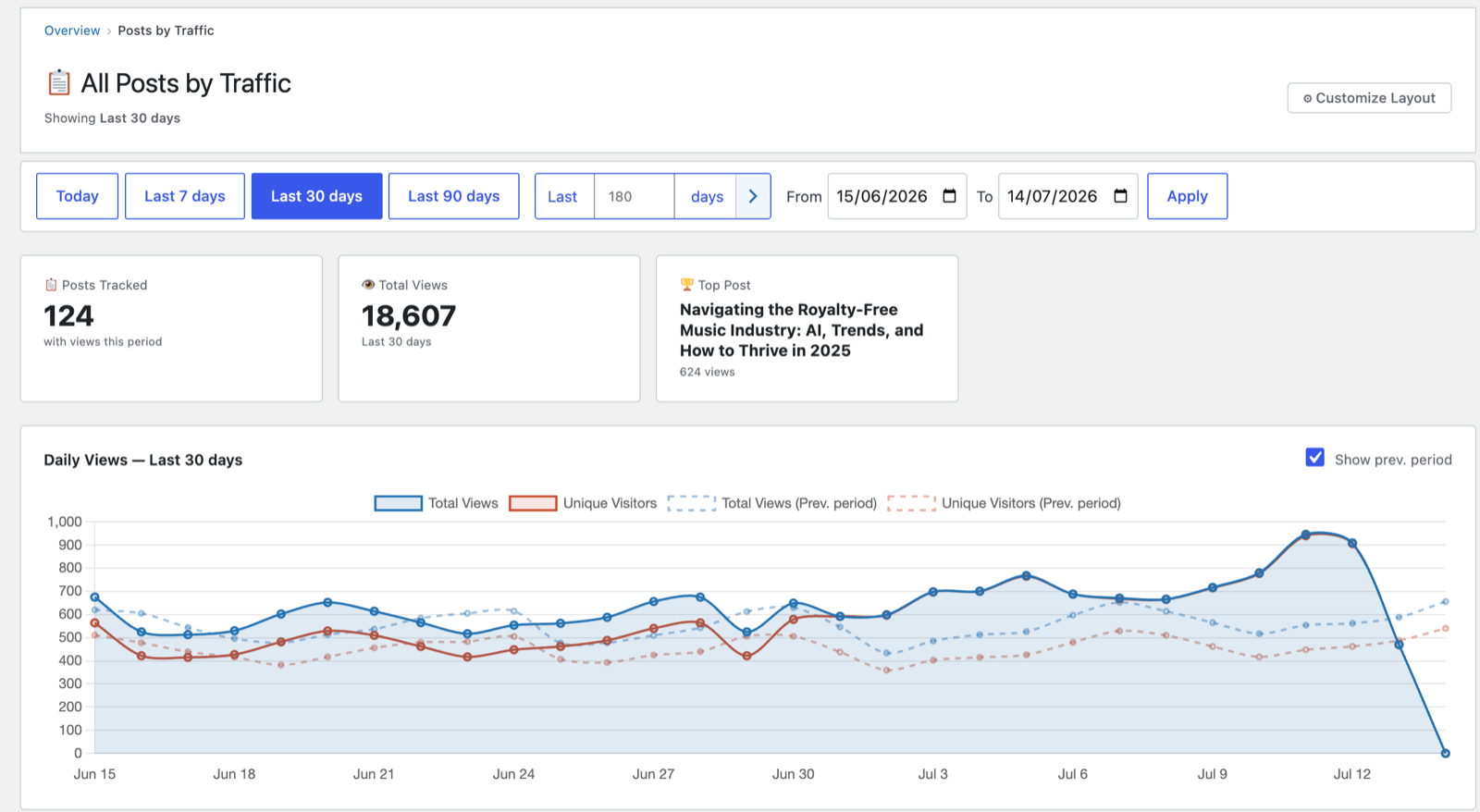
The main content report, reached from the hub’s By content type section. It shows:
- Posts Tracked — how many posts/pages had views in the period.
- Total Views across all content.
- Top Post — your single most-viewed item, with its view count.
- Daily Views chart with optional previous-period overlay.
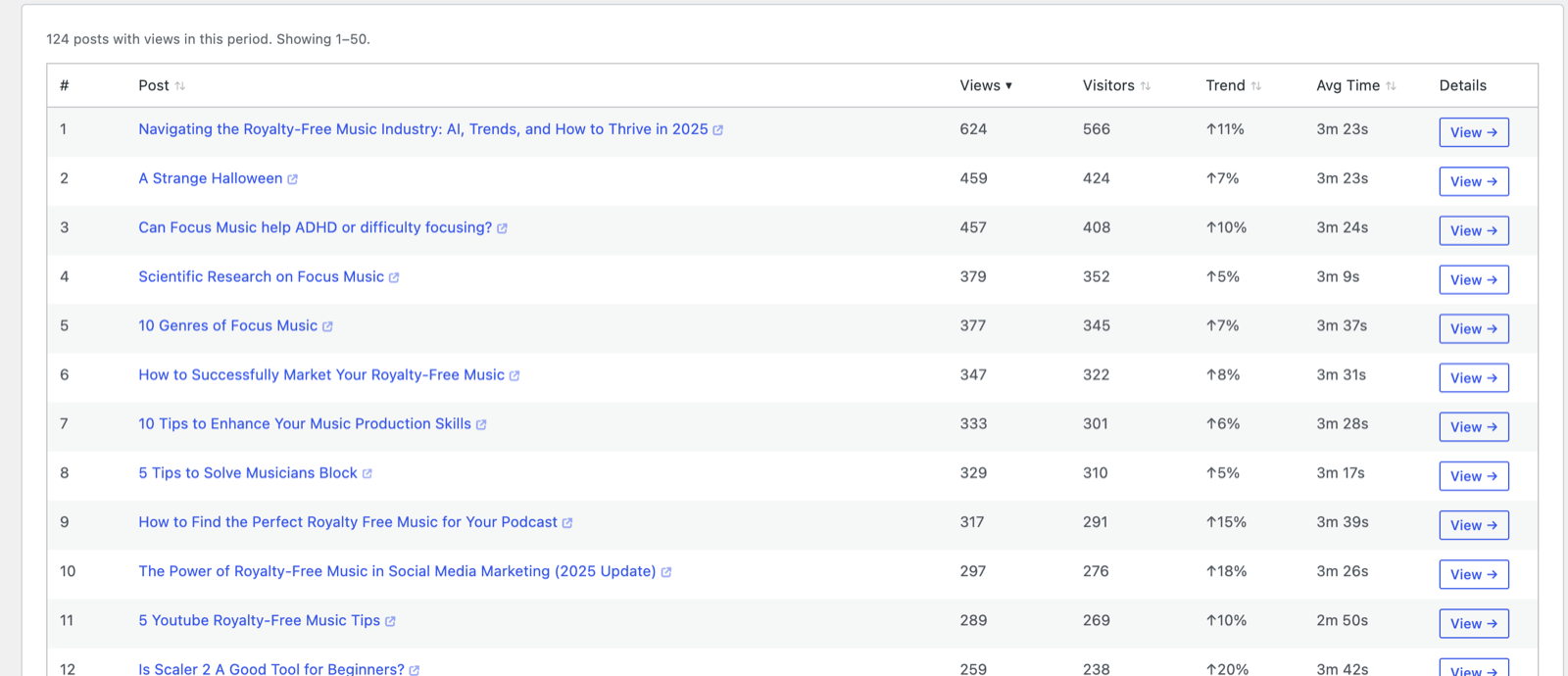
- A sortable, paginated table of every post/page with views, visitors and engagement. Click any title to open its per-post detail page (its own traffic trend, sources, and visitor list).
Related content reports
The hub’s other cards open focused breakdowns, each a sortable table for the selected date range:
| Report | What it shows |
|---|---|
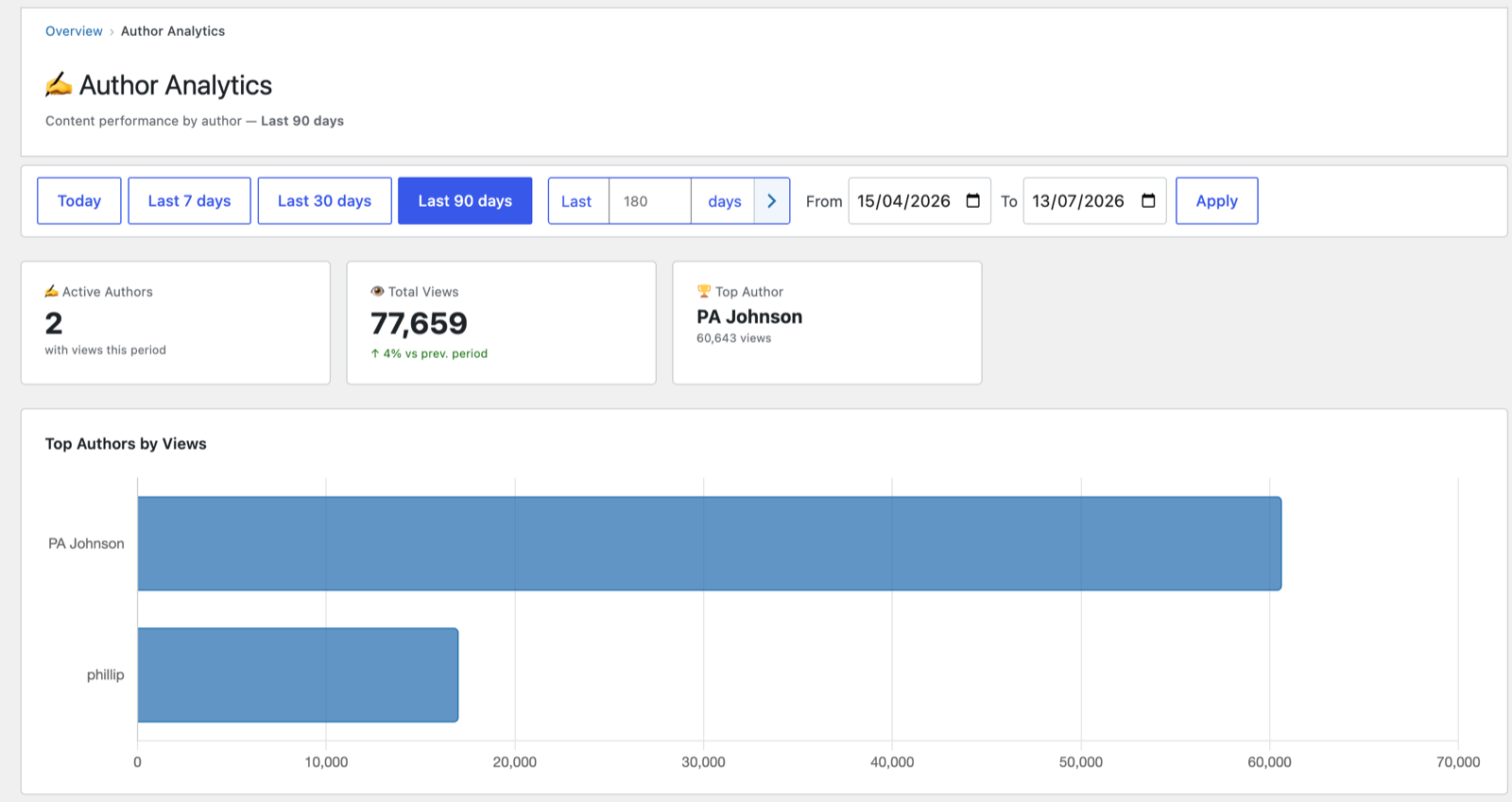
| Authors | Views, posts and engagement grouped by post author — multi-author performance. |
| Categories | Traffic by post category. |
| Tags | Traffic by tag. |
| Search Terms | What visitors typed into your site’s search. (Search-engine keywords aren’t available to any plugin without a Search Console connection — this is your on-site search.) |
| Outbound Links | Which external links your visitors clicked. |
| Affiliate Links | Clicks on affiliate links (integrates with affiliate plugins where present). |
For example, the Authors report (also reachable directly from the Audience menu) — headline cards, a Top-Authors chart, and a sortable per-author table:

Tips
- Use Authors if you run a multi-contributor blog to see who’s driving traffic.
- Outbound and Affiliate clicks turn PAJ into a basic link-attribution tool — useful for monetised content.
- Post titles open the live page on your site (new tab) so you can see what visitors saw; the View → button on each row opens that post’s stats detail — its own traffic trend, sources and visitor list. Use the breadcrumb to step back.
Next: Entry & exit pages →
Screenshots are illustrative — see the note on the documentation index.