
The Media reports track engagement with audio/video and downloadable files — how often your tracks are played and your files downloaded. Open them from the Media Plays and Downloads sidebar items. (This is especially useful for music, podcast and resource sites.) (This is a Pro feature.)
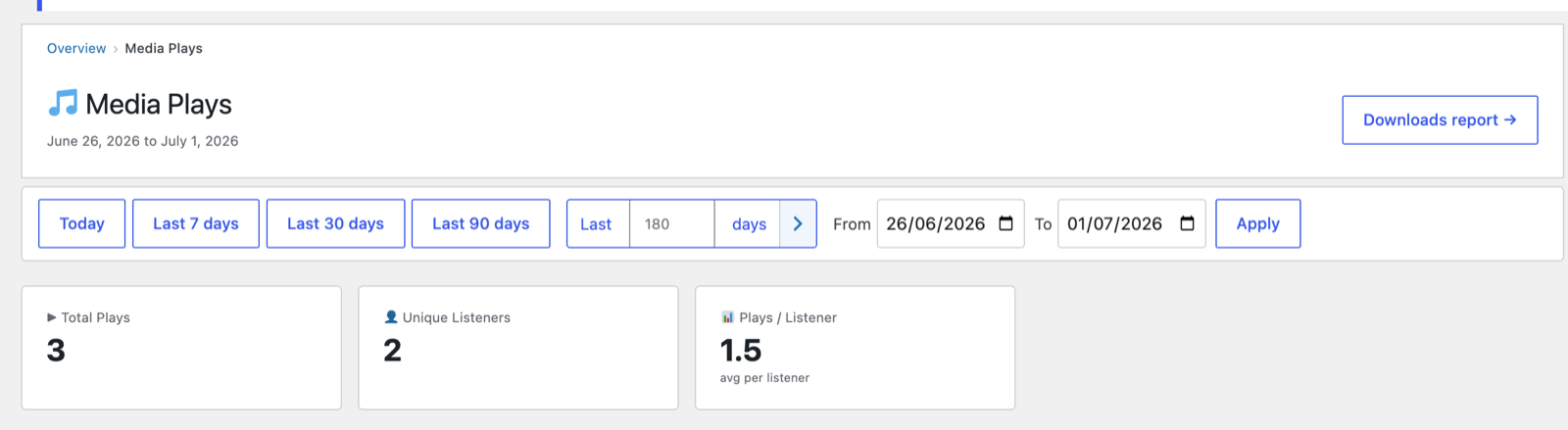
Media Plays
- Total Plays — play events recorded in the period.
- Unique Listeners — distinct people who played something.
- Plays / Listener — average plays per listener.
- Plays chart — plays per day across the range.
- Top Tracks — your most-played media, ranked, with plays and listeners.
Use Downloads report → (top-right) to switch to the downloads view.
Downloads
The mirror report for file downloads:
- Total Downloads, Unique Downloaders, Downloads / User.
- A daily downloads chart and a Top Files table.
How play/download detection works
PAJ detects plays from supported players (currently SoundCloud and YouTube embeds, with track titles pulled in via their widget APIs) and counts file downloads from links to media/document files — no manual tagging required. Titles resolve automatically so the tables show real track and file names.
If you use a consent manager that blocks third-party iframes (e.g. Complianz),
players are only detectable once the visitor accepts the relevant cookies — by
design, so tracking respects consent.
Playlists are supported too: for an embedded YouTube playlist, each video that plays is tracked as itself (with its own title), so your Top Tracks table reflects the actual videos watched — not just “a playlist.”
Why play counts are conservative (and trustworthy)
Play counts in PAJ are a floor, not an estimate — every play recorded is a real one, but a few situations mean some genuine plays can’t be seen by any analytics tool:
- Other players. Play tracking currently covers SoundCloud and YouTube embeds. Every platform needs its own player integration, so plays on other hosts — Vimeo and Dailymotion among them — aren’t counted yet. Support for more players is planned.
- Ad & privacy blockers. Some visitors’ browsers block YouTube’s player API (or the embed itself). Those plays are invisible to the site — there is nothing a plugin can do about it.
- Consent not given. Visitors who never accept the relevant cookies keep the player blocked by your consent manager, so their plays are (correctly) not tracked.
- Non-standard players. Custom JavaScript players that wrap YouTube, and embeds nested inside other third-party frames, can’t be observed from the page.
In short: if PAJ says a track was played 100 times, it was played at least 100 times. The numbers you act on are never inflated.
Tips
- Cross-reference Top Tracks with Content to see which pages drive the most plays.
- A rising Plays / Listener suggests your catalogue keeps people engaged through multiple tracks.
Next: Goals & conversions →
Screenshots are illustrative — see the note on the documentation index.