
Goals let you define the actions that matter on your site and measure how often visitors complete them. Open from Behaviour → Goals. (This is a Pro feature.)
Headline cards
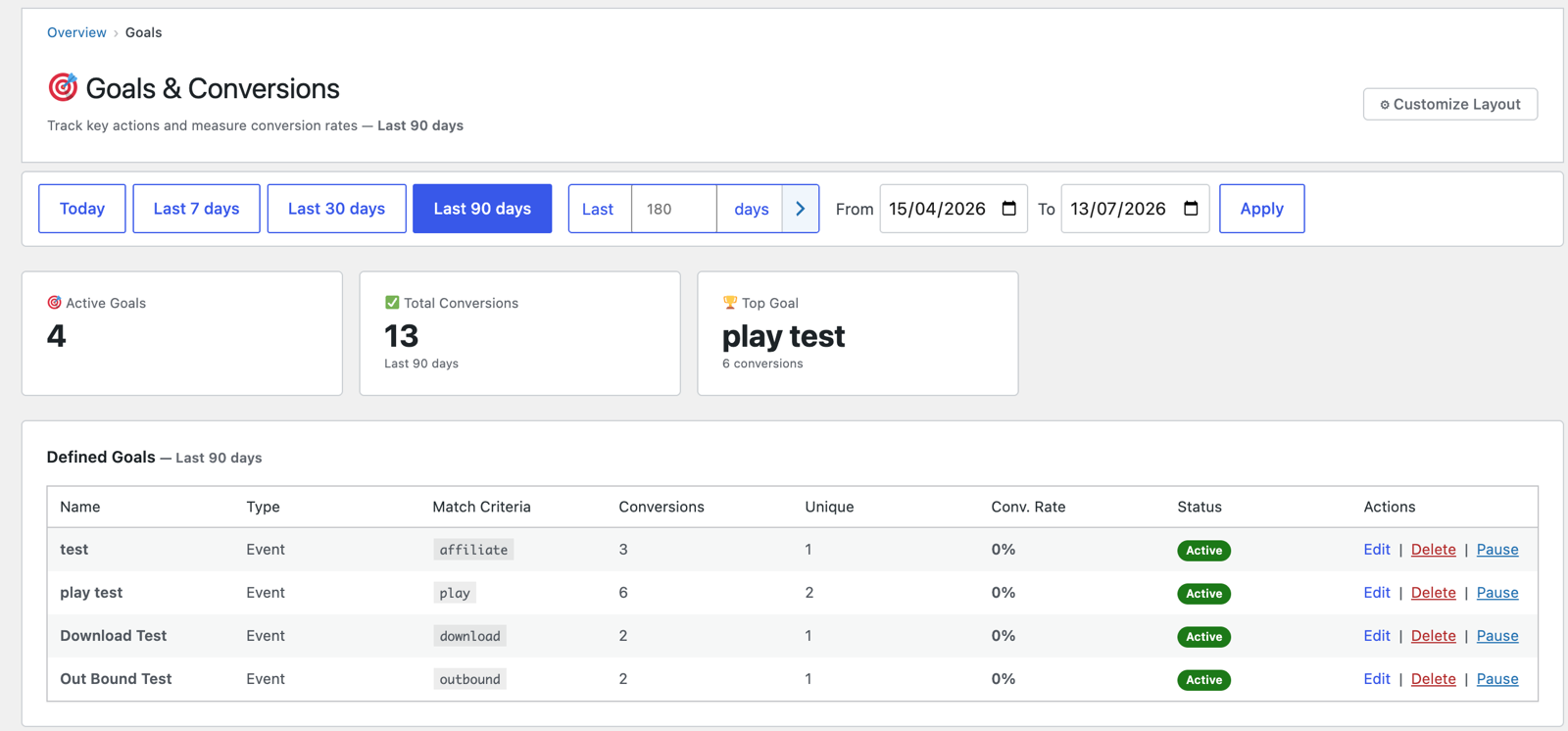
- Active Goals — how many goals you have defined.
- Total Conversions — completions across all goals in the period.
- Top Goal — your most-completed goal.
Defined Goals table
Each goal you’ve created shows:
- Name and Type (e.g. an Event goal).
- Match Criteria — what triggers it (a tracked event such as
play,download,outbound,affiliate, or a page/URL pattern). - Conversions and Unique converters.
- Conv. Rate — conversions relative to sessions.
- Status (Active / Paused) with Edit · Delete · Pause actions.
Creating a goal
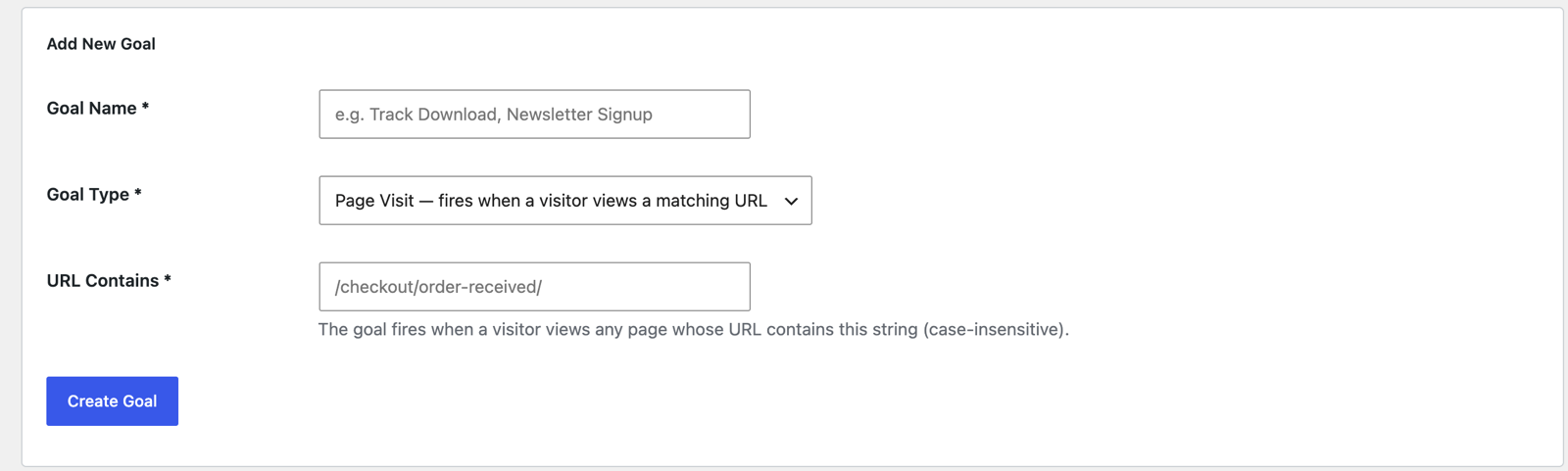
Use the goal form on this screen to add one — give it a name, choose the trigger (an event type or a page match), and save. New conversions are detected automatically from that point.
Narrowing an event goal to one specific link
An event goal normally fires on any event of that type — every download, every outbound click. The optional Target contains box narrows it to a single link: it’s matched against the event’s target, which for a link click is the full URL, query string included.
That makes goals the neatest way to measure a link the plugin can’t recognise on its own — the common case being an affiliate link that isn’t cloaked and isn’t managed by an affiliate plugin, just an ordinary URL with your affiliate ID appended:
https://merchant.example.com/product?a_aid=YOUR-AFFILIATE-IDBecause it points at another domain, PAJ Statistics records that click as an outbound event (you’ll find it under Content → Outbound links). It is not an “affiliate” event — that label is reserved for cloaked, same-domain links, and it’s matched on the URL path only, so a ?a_aid=… query string never triggers it.
To count those clicks as conversions:
| Field | Value |
|---|---|
| Goal Type | Event |
| Event | outbound |
| Target contains | a_aid=YOUR-AFFILIATE-ID |
Every click on that link now counts as a conversion — and, because it’s a goal, you also get the conversion paths, so you can see which traffic sources actually drive your affiliate clicks rather than just how many there were.
Two things worth knowing:
- The match is a substring, so if you use the same affiliate ID across several merchants, one goal captures them all. To separate them, match on more of the URL (for example
merchant.example.com/product?a_aid=). - It’s precise on both axes: a download carrying the same ID won’t convert, and neither will an outbound click with a different ID.
The same technique works for anything you can identify in a URL — a specific outbound partner, one download among many, a particular tracked click.
Top Conversion Paths
Below the table, this shows the sequence of marketing channels visitors passed through before converting (consecutive repeats collapsed) — the whole multi-touch journey, not just first or last touch — with conversions and average touches per path. There’s also a Landing-page conversion view showing which entry pages turn visits into goals.
How a path is built
- Every session knows its channel. Each session records how it arrived and is mapped to one channel, in priority order:
utm_medium=email/newsletter→ Email;utm_medium=cpc/ppc/paid→ Paid; no referrer → Direct; otherwise the referrer’s classified type → Organic Search / Social / AI / Referral. (A Google ad click taggedcpccounts as Paid, not Organic Search.) - The visitor’s pseudonymous signature is the thread. When a goal completes, every session by that same signature in the 30 days before the conversion is lined up in start order — that ordered list of channels is the path.
- Consecutive repeats collapse. Google, Google, Direct, Newsletter becomes Organic Search → Direct → Email. One path is recorded per conversion, and identical paths are grouped with a count.
So: someone finds you on Google on Monday, comes back by typing your address on Wednesday, and converts from a newsletter link on Friday → one conversion lands on Organic Search → Direct → Email, with three touches.
Reading the table
- A row containing a “→” is multi-channel by definition — an arrow can only appear when successive sessions arrived by different channels.
- Avg Touches counts channel steps, not visits — five Google visits before converting is one touch, because revisiting the same channel isn’t a multi-channel journey.
- The summary line above the table splits conversions into single-touch vs multi-touch — the quickest answer to “do my visitors use multiple channels at all?”
Two things to know. Paths are only as good as your tagging — an untagged newsletter link shows up as Direct or Referral rather than Email, so disciplined UTMs make this table sharper. And for cookieless visitors the pseudonymous signature rotates monthly, so a journey that crosses a month boundary loses its earlier touches; consented (cookie) visitors keep the full 30-day lookback.
Tips
- For a music site, a
playordownloadgoal turns engagement into a measurable conversion. - Pair Goals with Journeys to see the routes that lead to conversions, and with Referrers to see which channels convert best.
Next: Forms →
Screenshots are illustrative — see the note on the documentation index.