
This screen shows where visits begin (entry/landing pages) and where they end (exit pages). Open it from Traffic → Entry & Exit.
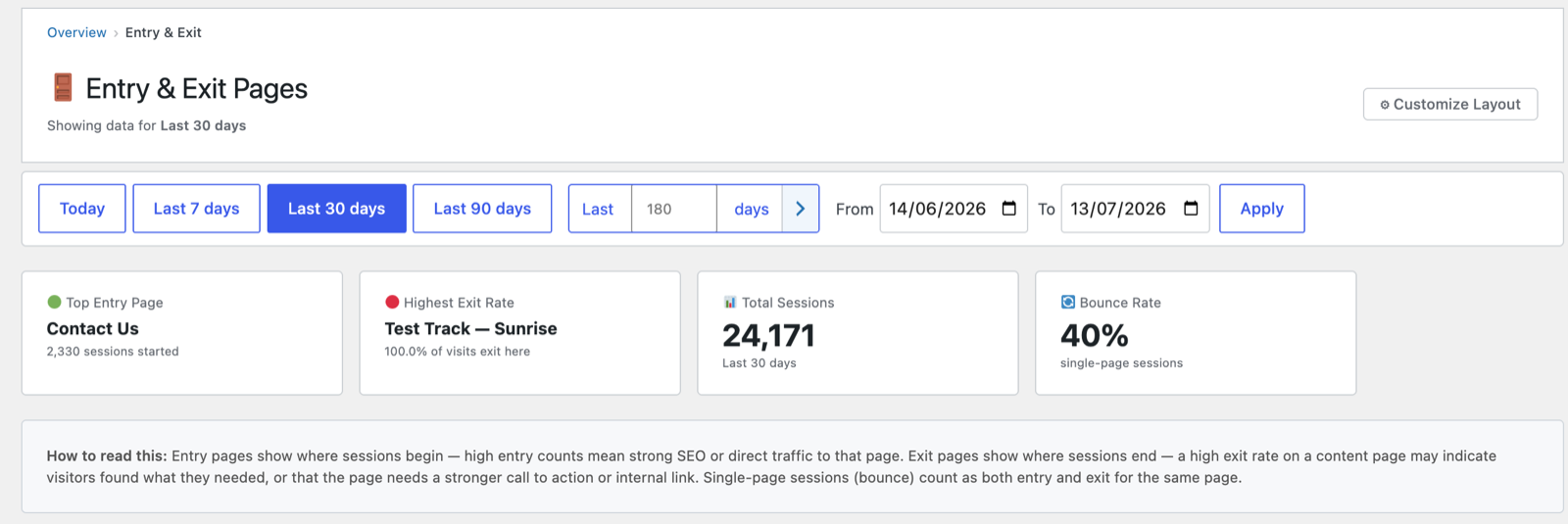
Headline cards
- Top Entry Page — the page that started the most sessions (your biggest “front door”).
- Highest Exit Rate — the page visitors most often leave from, with its exit percentage.
- Total Sessions and Bounce Rate for context.
How to read it
The plugin spells this out on the page itself:
*Entry pages show where sessions begin — high entry counts mean strong SEO or
direct traffic to that page. Exit pages show where sessions end — a high exit
rate on a content page may indicate visitors found what they needed, or that the
page needs a stronger call to action or internal link. Single-page sessions
(bounces) count as both entry and exit for the same page.*
The two tables
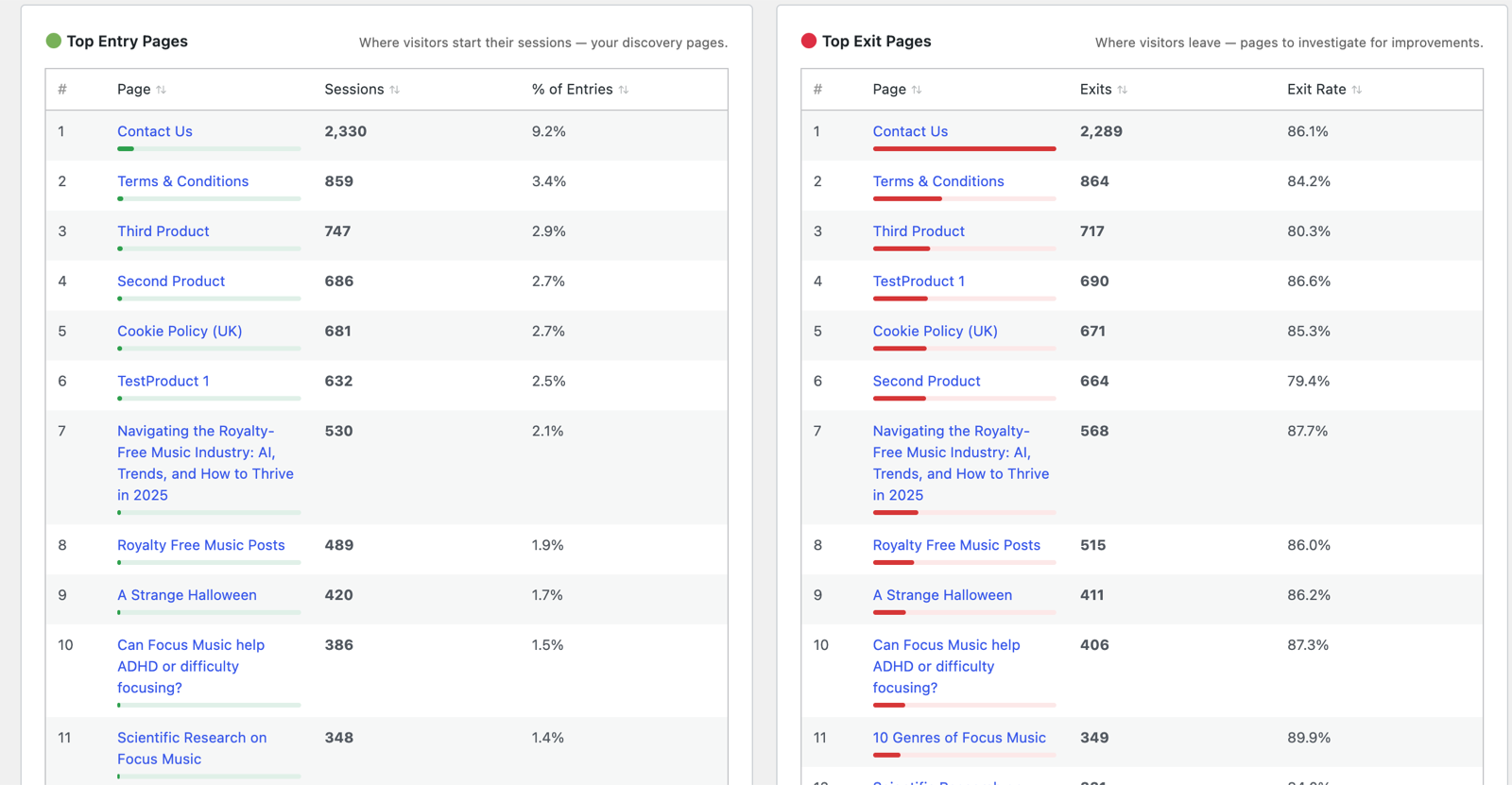
- Top Entry Pages — ranked by sessions started, with each page’s share of all entries.
- Top Exit Pages — ranked by exits, with each page’s exit rate.
Click any page to open its detail.
What to do with it
- A high exit rate on a checkout or pricing page is worth investigating — see the WooCommerce funnel.
- A high exit rate on an article isn’t necessarily bad (they may have finished reading) — check engaged time on that page before acting.
- Strong entry pages are your best SEO assets; make sure they guide visitors onward with clear internal links.
Next: Journeys →
Screenshots are illustrative — see the note on the documentation index.